
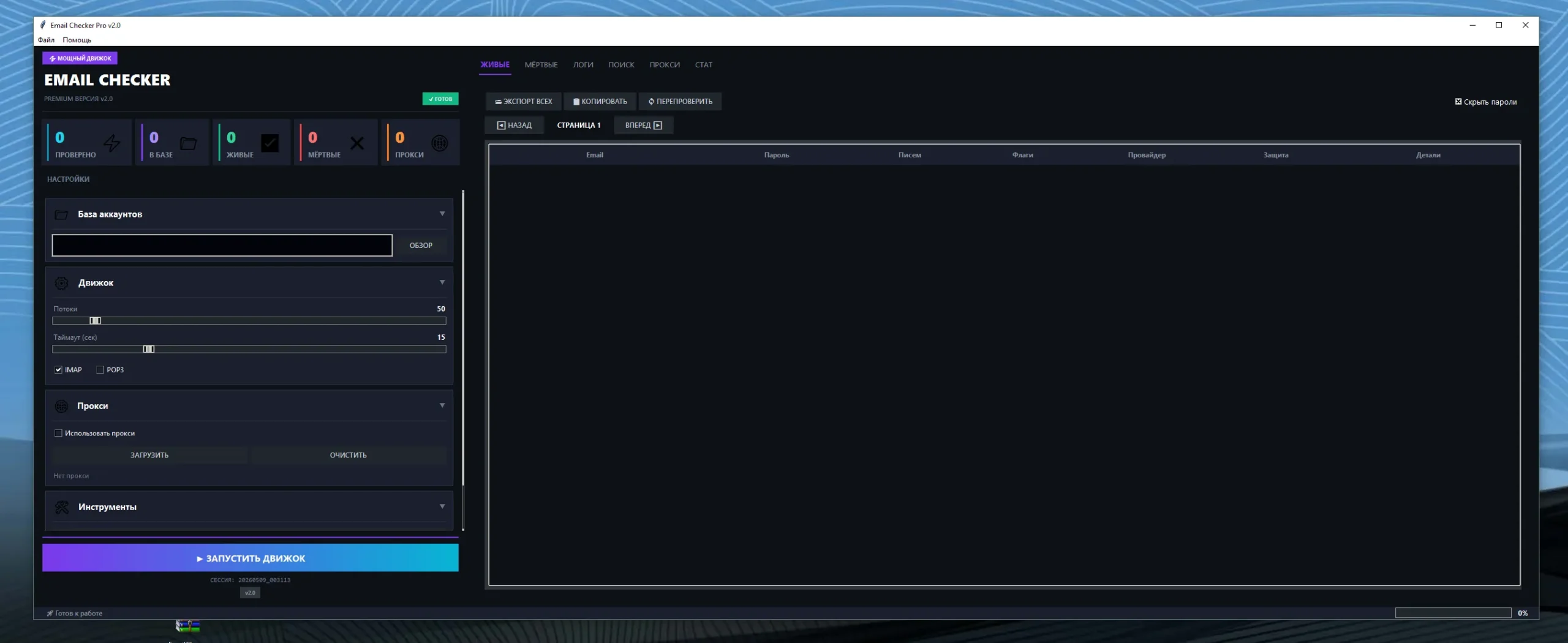
🔥 Mail Checker Pro v2.0 – High Performance IMAP & POP3 Email Verification Tool
Managing and verifying large volumes of email accounts has become increasingly important for businesses, IT teams, and cybersecurity professionals. Modern organizations require reliable tools that can efficiently validate email account access while maintaining speed, stability, and security.
Mail Checker Pro v2.0 is a high-performance IMAP and POP3 email verification solution designed to streamline mailbox validation workflows. The software combines advanced proxy support, adaptive threading technology, secure password encryption, and inbox search functionality into one powerful platform.
For users handling enterprise email systems or authorized mailbox management operations, Mail Checker Pro v2.0 offers scalable performance and professional-grade efficiency.
🚀 What is Mail Checker Pro v2.0?
Mail Checker Pro v2.0 is an advanced email account checking application developed to support both IMAP and POP3 protocols. The software is engineered for fast processing speeds and large-scale email verification environments.
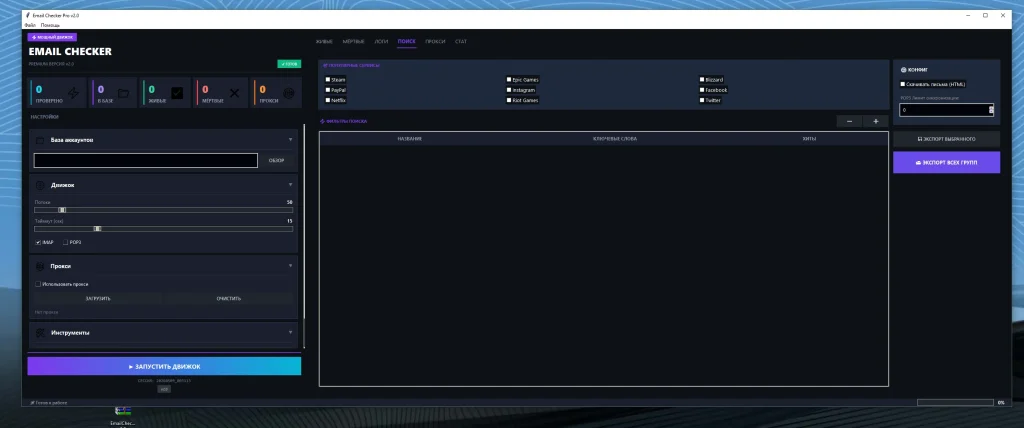
The platform helps users validate mailbox connectivity, organize account lists, and improve workflow efficiency through automation and intelligent resource management. With built-in encryption and multi-threaded processing, the tool delivers secure and stable performance even when handling large datasets.
Mail Checker Pro v2.0 is commonly used in enterprise email administration, infrastructure testing, and authorized mailbox management systems.
⭐ Key Features of Mail Checker Pro v2.0
📥 IMAP and POP3 Support
✅ IMAP Compatibility:
Mail Checker Pro v2.0 fully supports IMAP email servers, allowing users to securely connect and synchronize mailbox data across multiple devices. IMAP compatibility ensures efficient inbox management while maintaining server-side email storage and folder synchronization.
✅ POP3 Verification:
The software also supports POP3 protocols, making it compatible with older and traditional email infrastructures. POP3 verification helps users access and validate mailbox credentials in environments where legacy email systems are still in use.
✅ Wide Email Provider Support:
The application works with most major email providers and custom mail hosting solutions. This flexibility makes it suitable for businesses, developers, and IT professionals operating across multiple platforms.
⚡ High-Speed Multi-Threading
✅ Adaptive Concurrency Engine:
Mail Checker Pro v2.0 includes an intelligent concurrency system capable of handling up to 500 simultaneous threads. This adaptive technology dynamically adjusts processing performance based on available system resources and network stability.
✅ Faster Processing Speeds:
High-speed threading significantly reduces the time required to validate large email lists. Users can process thousands of accounts more efficiently compared to traditional single-threaded software solutions.
✅ Improved Workflow Efficiency:
The multi-threaded architecture helps businesses improve productivity by automating repetitive verification tasks while minimizing manual workload and operational delays.
🌐 Proxy Support
✅ SOCKS4 Proxy Integration:
SOCKS4 support helps users improve connection reliability during large-scale mailbox verification tasks. It also provides enhanced network flexibility for professional email management operations.
✅ SOCKS5 Proxy Compatibility:
SOCKS5 proxies offer improved authentication support and better network routing capabilities. This helps maintain stable connectivity and optimized communication performance.
✅ HTTP Proxy Support:
HTTP proxies are also supported, allowing users to configure various network environments according to operational requirements and infrastructure preferences.
🛡️ Automatic Dead Proxy Removal
✅ Smart Proxy Monitoring:
The software continuously monitors active proxies and automatically identifies unstable or non-functional connections. This reduces interruptions during verification sessions.
✅ Enhanced Stability:
By removing dead proxies automatically, Mail Checker Pro maintains stable performance and improves operational consistency during long-running tasks.
✅ Reduced Manual Management:
Users no longer need to manually monitor or clean proxy lists frequently, saving valuable administrative time and improving overall efficiency.
🔐 Secure Password Encryption
✅ Fernet AES-128 Encryption:
Mail Checker Pro v2.0 uses Fernet AES-128 encryption to secure sensitive login credentials and authentication data. This helps protect stored information against unauthorized access.
✅ Improved Data Security:
Encryption adds an additional layer of protection for organizations handling large email account databases and confidential authentication details.
✅ Professional Security Standards:
The implementation of encrypted credential storage aligns with modern cybersecurity practices and enterprise-level security requirements.
🔎 Email Content Search
✅ Advanced Inbox Filtering:
The software includes inbox keyword search functionality that helps users locate specific email categories, notifications, or account-related messages more efficiently.
✅ Organized Mailbox Analysis:
Users can quickly identify important emails related to subscriptions, payment services, gaming platforms, and business communications without manually reviewing entire inboxes.
✅ Improved Productivity:
The content search feature saves time and improves mailbox organization by automating inbox scanning and categorization processes.
📤 Export Results
✅ Multiple Export Formats:
Mail Checker Pro v2.0 allows users to export results into several commonly used formats such as TXT, CSV, and JSON for better compatibility with external systems.
✅ Reporting and Documentation:
Export functionality simplifies reporting workflows and helps teams maintain organized verification records for auditing and operational analysis.
✅ Data Portability:
Users can easily move validated account data between applications, databases, and internal management systems without compatibility issues.
💡 Benefits of Using Mail Checker Pro v2.0
✅ Improved Productivity
Automation reduces repetitive manual tasks and allows IT teams to process email verification jobs faster and more efficiently. Businesses can save significant operational time while improving workflow consistency.
✅ Better Email Management
The platform helps organize large mailbox databases by streamlining account validation and inbox management processes. This creates a more structured and efficient email administration environment.
✅ Enhanced Security
Built-in encryption technologies and secure authentication handling provide stronger protection for sensitive email account information and operational data.
✅ Scalable Performance
Adaptive threading architecture ensures stable performance even when processing enterprise-level email lists and large-scale verification workloads.
👨💻 Who Can Use Mail Checker Pro?
Mail Checker Pro v2.0 is designed for professional and authorized use cases, including:
- 🏢 System administrators
- 🔐 Cybersecurity professionals
- 📧 Enterprise email management teams
- 💼 IT infrastructure specialists
- 📊 Businesses managing large mailbox systems
- 🖥️ Email hosting administrators
The software should only be used within authorized environments and compliant operational frameworks.
🖥️ System Requirements
✅ Recommended Operating System:
Windows 10 and Windows 11 are recommended for stable performance and compatibility with modern system architectures.
✅ Memory Requirements:
At least 8GB RAM is recommended for handling high-thread verification operations and large mailbox datasets.
✅ Processor Requirements:
A modern multi-core processor is preferred to maximize adaptive threading performance and improve operational efficiency.
✅ Internet Connection:
A stable high-speed internet connection is necessary for optimal verification speed and reliable proxy communication.
🌟 Why Mail Checker Pro v2.0 Stands Out
Unlike basic email verification tools, Mail Checker Pro v2.0 combines enterprise-grade performance with advanced automation capabilities.
✅ Intelligent Multi-Threading:
The adaptive concurrency engine optimizes processing performance while maintaining system stability.
✅ Advanced Proxy Integration:
Support for SOCKS4, SOCKS5, and HTTP proxies improves flexibility and operational reliability.
✅ Secure Credential Protection:
Encrypted password storage enhances overall security and helps protect sensitive authentication data.
✅ Professional Export Features:
Detailed export functionality improves reporting, organization, and workflow integration capabilities.
These combined features make Mail Checker Pro v2.0 a powerful solution for professional mailbox verification and email infrastructure management.
Download Mail Checker Pro v2.0
Virus Total Report
https://www.virustotal.com/gui/file/bf632b6a89265b4def28299fd41cc43604a02d2ddf22b6405d29bb7aa06b4f32📌 Final Thoughts
Mail Checker Pro v2.0 delivers a professional-grade solution for high-performance IMAP and POP3 email verification. With support for adaptive concurrency, secure encryption, advanced proxy integration, inbox search functionality, and export tools, the software provides a complete platform for efficient mailbox management.
Organizations and professionals seeking scalable email verification technology can benefit from its speed, automation, and security-focused architecture.
Its combination of enterprise-level features and optimized performance makes Mail Checker Pro v2.0 a strong option for modern email administration environments.
❓ FAQs
❓ What is Mail Checker Pro v2.0 used for?
Mail Checker Pro v2.0 is used for verifying and managing authorized email accounts using IMAP and POP3 protocols. It helps improve email administration efficiency and mailbox organization.
❓ Does Mail Checker Pro support proxy servers?
Yes, the software supports SOCKS4, SOCKS5, and HTTP proxies for improved connection management and operational flexibility.
❓ Is Mail Checker Pro v2.0 secure?
Yes, the software uses Fernet AES-128 encryption to securely protect stored login credentials and authentication information.
❓ Can Mail Checker Pro export verification results?
Yes, users can export results in formats such as TXT, CSV, and JSON for reporting and workflow integration.
❓ Does the software support large email lists?
Yes, the adaptive multi-threading system supports up to 500 threads, making it suitable for enterprise-scale email verification tasks.
❓ Which operating systems are supported?
Mail Checker Pro v2.0 is optimized for Windows 10 and Windows 11 environments.
❓ Who should use Mail Checker Pro?
The software is suitable for IT administrators, cybersecurity teams, enterprise email managers, and authorized mailbox management professionals.
❓ Does Mail Checker Pro support both IMAP and POP3?
Yes, the software fully supports both IMAP and POP3 email protocols for maximum compatibility.