
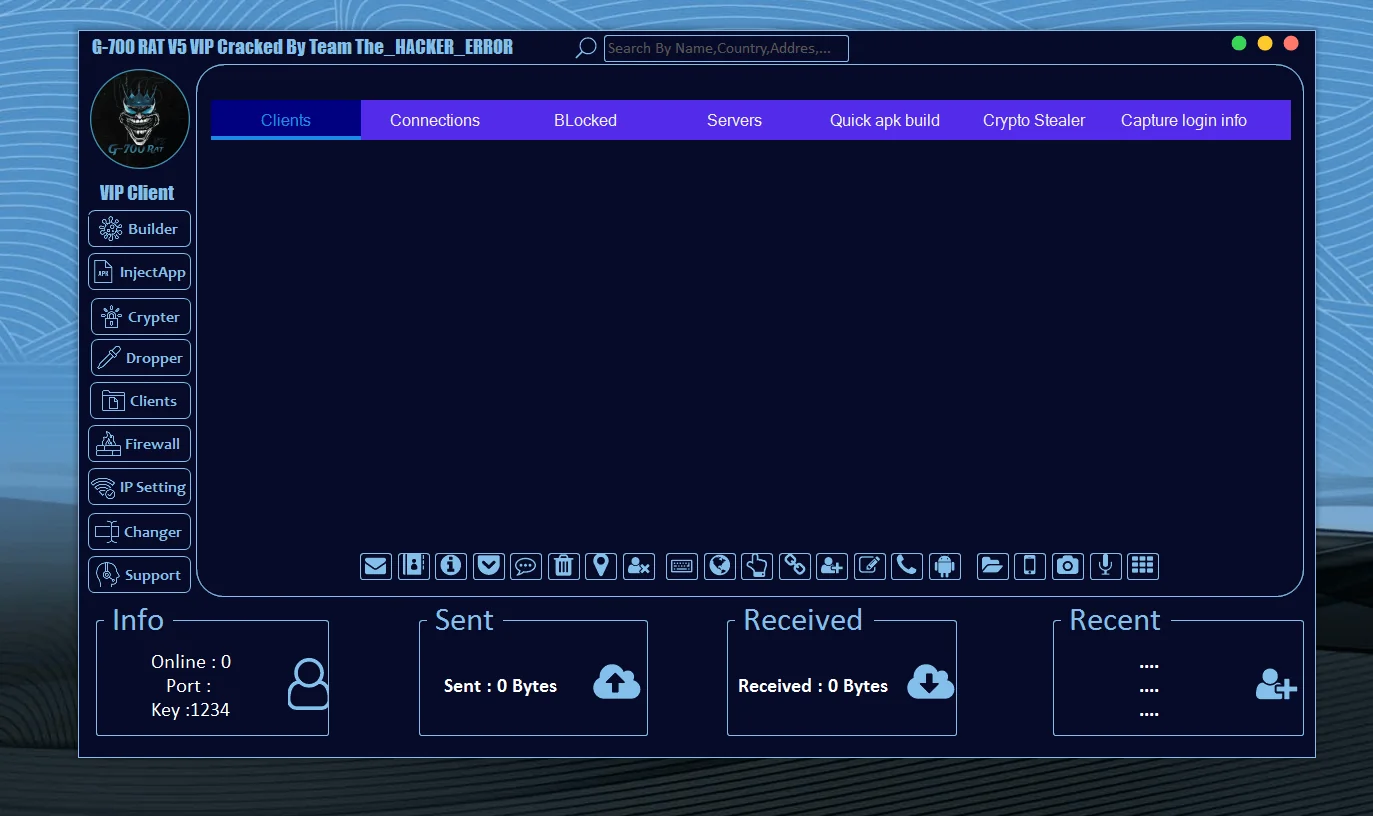
In recent years, Android malware has evolved rapidly, shifting from simple spyware into highly modular and persistent Remote Access Trojans (RATs). One such emerging threat frequently discussed in underground forums and cybersecurity research spaces is G 700 RAT.
This article provides a neutral, educational, and security-focused analysis of G 700 RAT. The goal is awareness, not usage. Understanding how such malware appears, functions conceptually, and impacts victims is critical for cybersecurity professionals, ethical hackers, analysts, and everyday Android users.
⚠️ Disclaimer:
This content is strictly for educational and defensive cybersecurity purposes. It does not encourage, promote, or explain malicious activity.
What Is G 700 RAT?
G 700 RAT is categorized as an Android Remote Access Trojan, a class of malware designed to allow unauthorized remote interaction with infected devices.
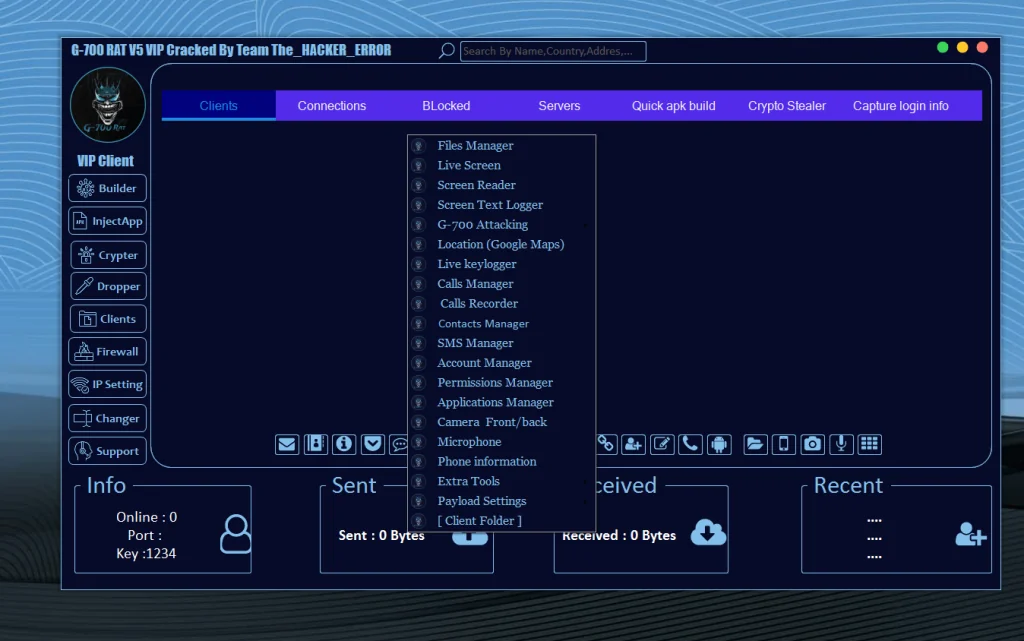
Unlike traditional viruses, RATs operate quietly in the background, often masquerading as legitimate applications. Once active, they may provide attackers with extensive visibility into a victim’s device, depending on permissions granted.
Why G 700 RAT Matters in Cybersecurity
Android RATs like G 700 RAT represent a serious concern because:
- Android dominates the global mobile OS market
- Users frequently sideload apps outside Play Store
- Permission abuse is common
- Social engineering remains effective
Understanding this threat helps users and defenders reduce risk and improve mobile security hygiene.
High-Level Overview of Observed Capabilities
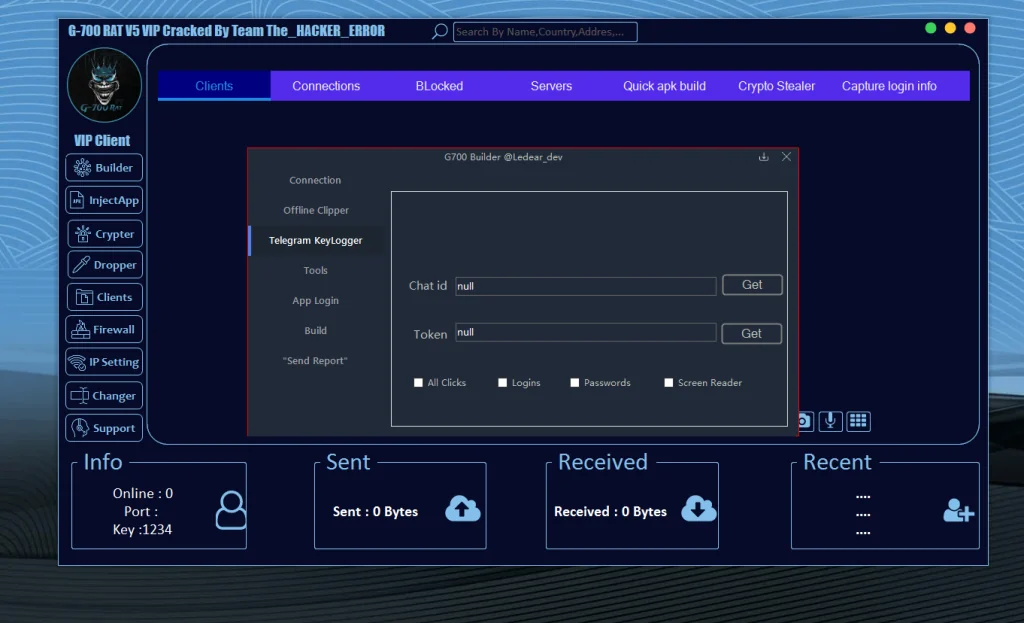
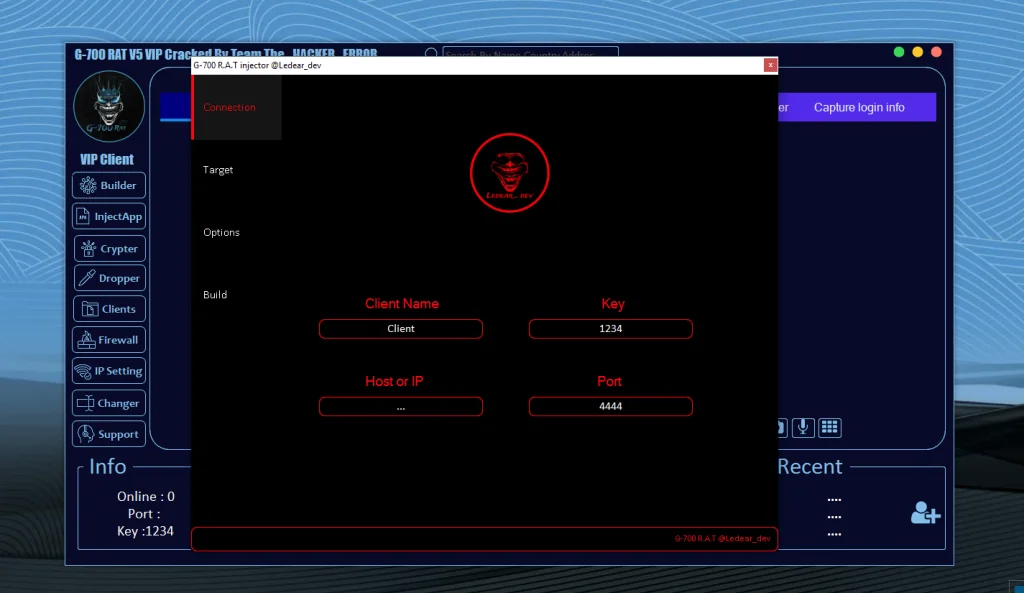
Based on interface analysis and security research patterns, G 700 RAT appears to include a modular control structure, separating features into logical sections such as connections, monitoring, data access, and persistence mechanisms.
Below is a feature-style breakdown written purely from a defensive and analytical perspective.
🔹 Connection & Command Interface (Conceptual Overview)
Centralized Control Panel Design
G 700 RAT appears to rely on a centralized interface used to visualize connected devices, traffic flow, and session activity.
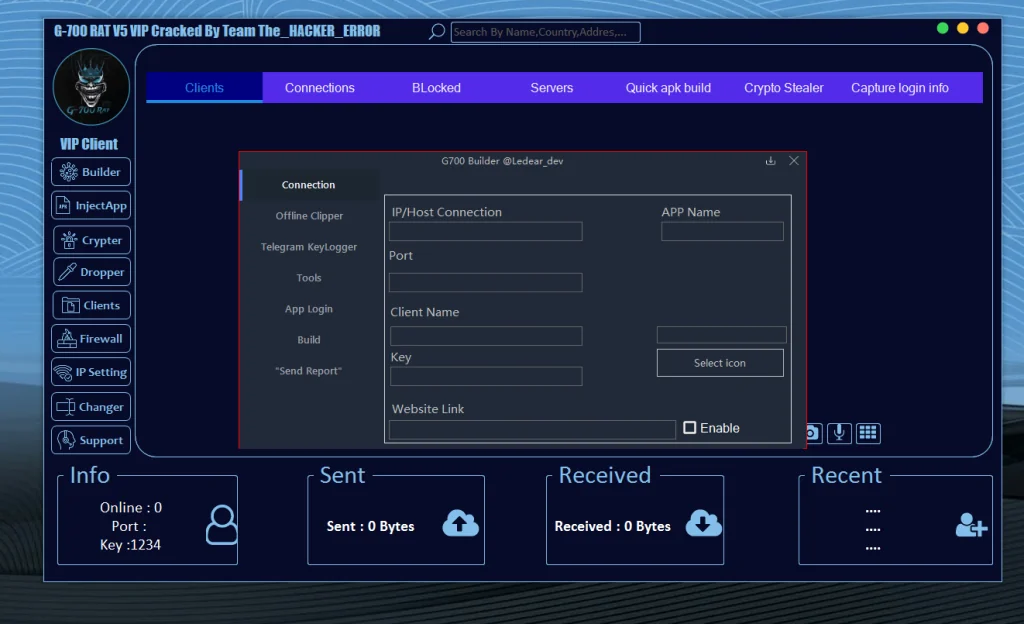
From a security standpoint, such panels:
- Enable attackers to manage multiple compromised devices
- Highlight the importance of encrypted command-and-control detection
- Demonstrate why network traffic monitoring is essential
🔹 Client & Device Management Capabilities
Remote Client Identification Risks
Many RATs label infected devices using:
- Device model
- Android version
- Country or IP-based location
Security Insight:
This behavior allows attackers to prioritize targets. Defensive tools should monitor suspicious outbound metadata leaks.
🔹 File Access & File Manager Risks
Unauthorized File Visibility
Remote file access modules are common in Android RATs. These features may allow attackers to:
- View internal storage
- Access documents and media
- Copy sensitive files remotely
Defensive Note:
Apps requesting excessive storage permissions should always be treated with caution.
🔹 Live Screen Monitoring Threats
Screen Capture & Privacy Violations
Some RATs include screen observation features, which may:
- Capture real-time screen content
- Monitor app usage
- Collect sensitive visual data
Why This Is Dangerous:
- Banking apps
- Password managers
- Private conversations
This reinforces the importance of:
- Screen capture permission audits
- OS-level security alerts
🔹 Text Logging & Screen Text Extraction
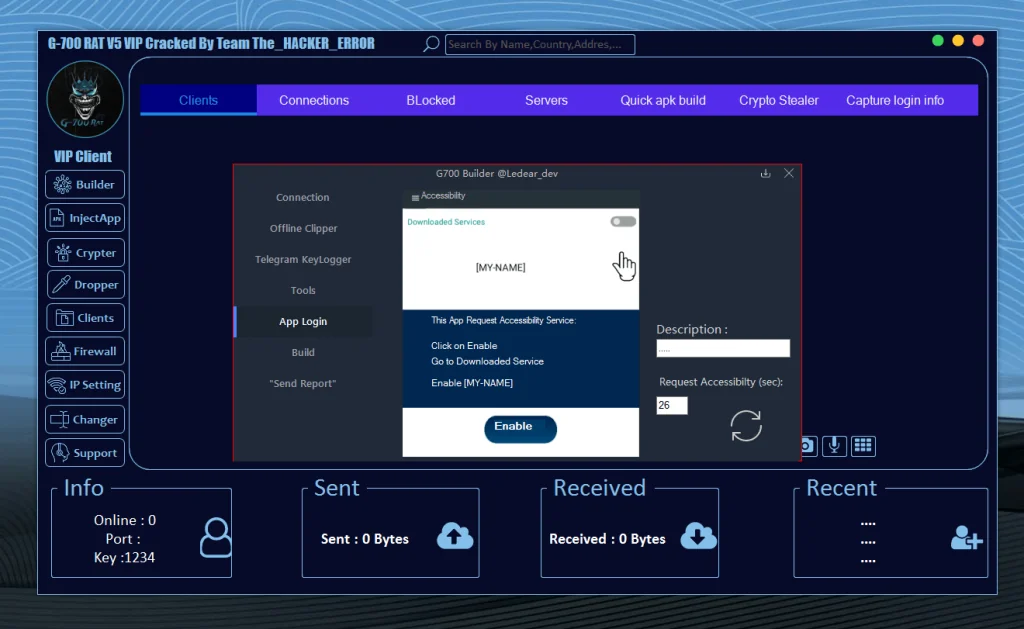
Screen Reader Abuse Explained
Android accessibility services are often abused by malware to read on-screen text.
Potential Risks Include:
- Password interception
- OTP capture
- Message surveillance
Cybersecurity Best Practice:
Only enable accessibility access for trusted apps.
🔹 Keylogging Capabilities (Risk Analysis)
Keystroke Monitoring Threats
Keylogging remains one of the most invasive RAT techniques. In Android environments, this is often achieved via:
- Accessibility services
- Overlay attacks
Impact:
- Credential theft
- Account compromise
- Identity theft
🔹 Location Tracking via Mapping Services
GPS & Location Abuse
Some Android RATs integrate location services, potentially allowing:
- Real-time tracking
- Historical movement analysis
Why It Matters:
- Physical security risks
- Stalking concerns
- Personal safety implications
🔹 Communication Monitoring Risks
Calls, Messages & Contacts Exposure
Advanced RAT variants may include modules that interact with:
- Call logs
- SMS databases
- Contact lists
This can lead to:
- Social engineering expansion
- SIM-based fraud
- Data resale risks
🔹 Account & Permission Management Abuse
Unauthorized Permission Manipulation
RATs may attempt to:
- Grant themselves elevated permissions
- Suppress system warnings
- Block removal attempts
Security Lesson:
Permission escalation behavior is a major malware red flag.
🔹 Application Management & App Abuse
Silent App Interaction Threats
Some malware can:
- Launch apps remotely
- Monitor installed applications
- Abuse app overlays
This highlights the importance of:
- App integrity checks
- Overlay permission control
🔹 Camera & Microphone Access Risks
Audio & Visual Surveillance Threats
Unauthorized access to:
- Front or rear camera
- Device microphone
poses serious privacy risks including:
- Espionage
- Blackmail
- Surveillance
Android users should:
- Monitor sensor usage indicators
- Review app permissions regularly
🔹 Device Information Harvesting
System Fingerprinting Explained
RATs often collect:
- Device ID
- OS version
- Network details
This data is commonly used for:
- Device fingerprinting
- Target profiling
- Botnet management
🔹 Offline Data Harvesting Concerns
Data Storage Risks
Some malware stores stolen data locally before transmission, increasing:
- Persistence
- Stealth
- Damage potential
Encryption and sandboxing help reduce impact.
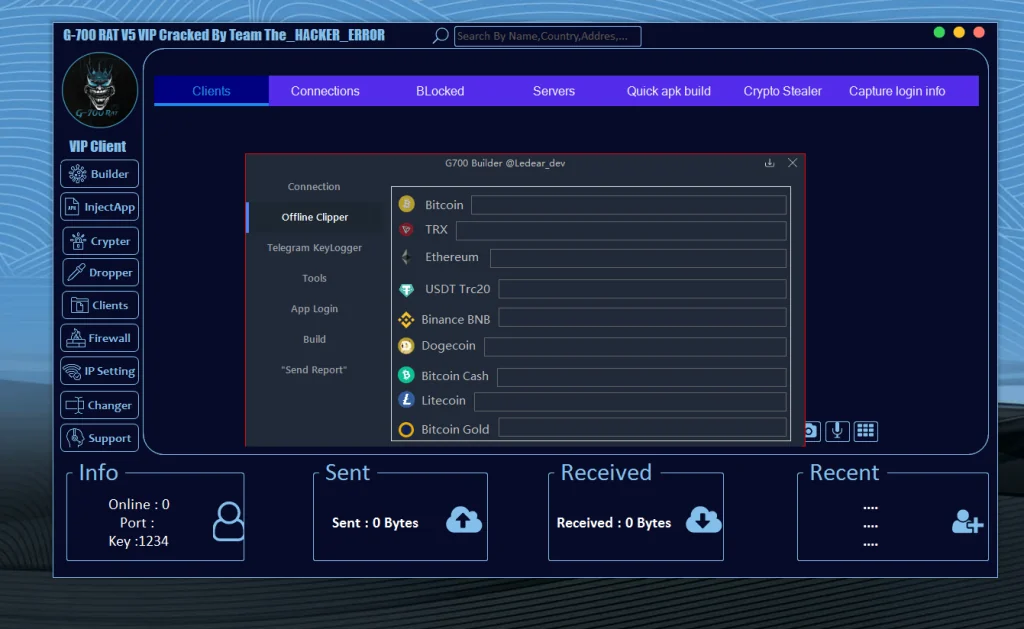
🔹 Cryptocurrency-Related Threat Awareness
Crypto Address Manipulation Risks
Certain malware families attempt to:
- Replace copied crypto addresses
- Monitor wallet apps
Defensive Strategy:
- Always verify wallet addresses
- Use hardware wallets when possible
🔹 Messaging Platform Abuse (Telegram-Based Threats)
Encrypted Messaging Misuse
Some RATs use messaging platforms for command channels due to:
- Encryption
- Ease of setup
- Low detection rate
Security teams must monitor:
- Suspicious API traffic
- Unusual outbound connections
🔹 Persistence & Anti-Removal Techniques
Why RATs Are Hard to Remove
Advanced malware may:
- Hide app icons
- Restart automatically
- Resist uninstallation
Solution:
- Safe mode scans
- Factory resets
- Professional malware removal tools
🔹 App Obfuscation & Detection Evasion
Code Obfuscation Explained
Obfuscation techniques:
- Hide malicious logic
- Evade static analysis
- Delay detection
This reinforces the need for:
- Behavioral analysis
- Runtime monitoring
🔹 Bypass Techniques (High-Level Awareness)
Security System Avoidance Risks
Some malware attempts to bypass:
- App store protections
- Antivirus scans
Important:
No system is perfect — layered security is essential.
Legal & Ethical Implications
Using or distributing RAT malware is illegal in most jurisdictions and may result in:
- Criminal charges
- Heavy fines
- Prison sentences
This article exists solely for awareness and defense.
How to Protect Yourself From Android RATs
Best Security Practices
- Install apps only from trusted sources
- Avoid sideloading unknown APKs
- Review app permissions frequently
- Use reputable mobile security software
- Keep Android OS updated
How Security Professionals Use RAT Analysis
Cybersecurity experts analyze threats like G 700 RAT to:
- Improve detection signatures
- Educate users
- Strengthen defenses
- Support law enforcement
Download G 700 RAT
Final Thoughts: Why Awareness Matters
G 700 RAT represents a broader category of modern Android threats that rely on user trust, permission abuse, and stealth.
Understanding how these threats conceptually operate empowers:
- Users to stay safe
- Developers to build secure apps
- Analysts to improve defenses
🛡️ Knowledge is the strongest defense.